

Prerequisites
- System administrator access to SmarterMail
- Your MailChannels SMTP username and password
SmarterMail 16.x
1
Add an outgoing gateway
Log in as the system administrator. Navigate to Settings > Gateways / Failover > Outgoing and click New.Configure the gateway with the following values: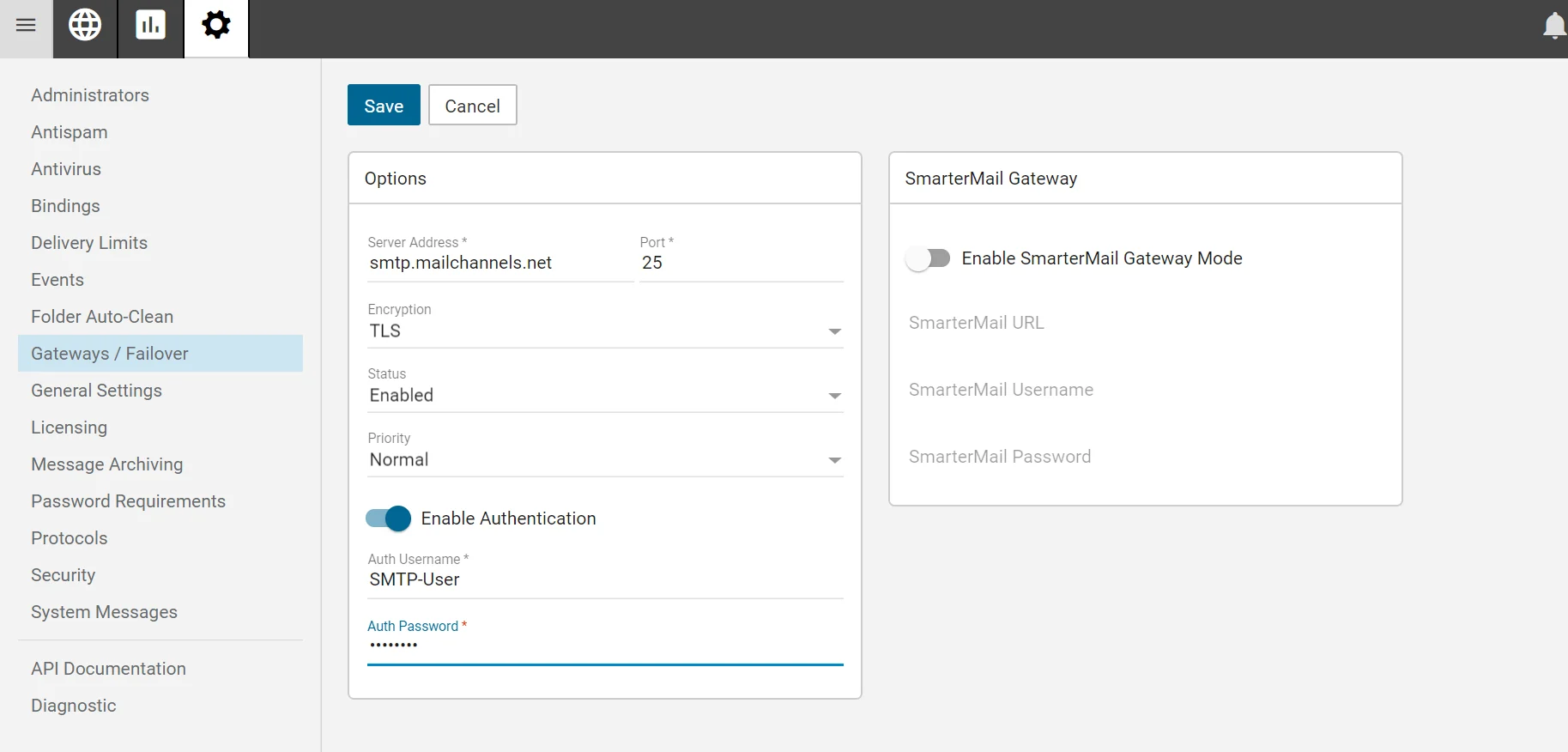
Click Save.
2
Enable the authenticated sender header
Navigate to Settings > Protocols > SMTP Out.Enable the option Append X-SmarterMail-Authentication as header. MailChannels uses this header to identify the authenticated sender and track per-sender reputation.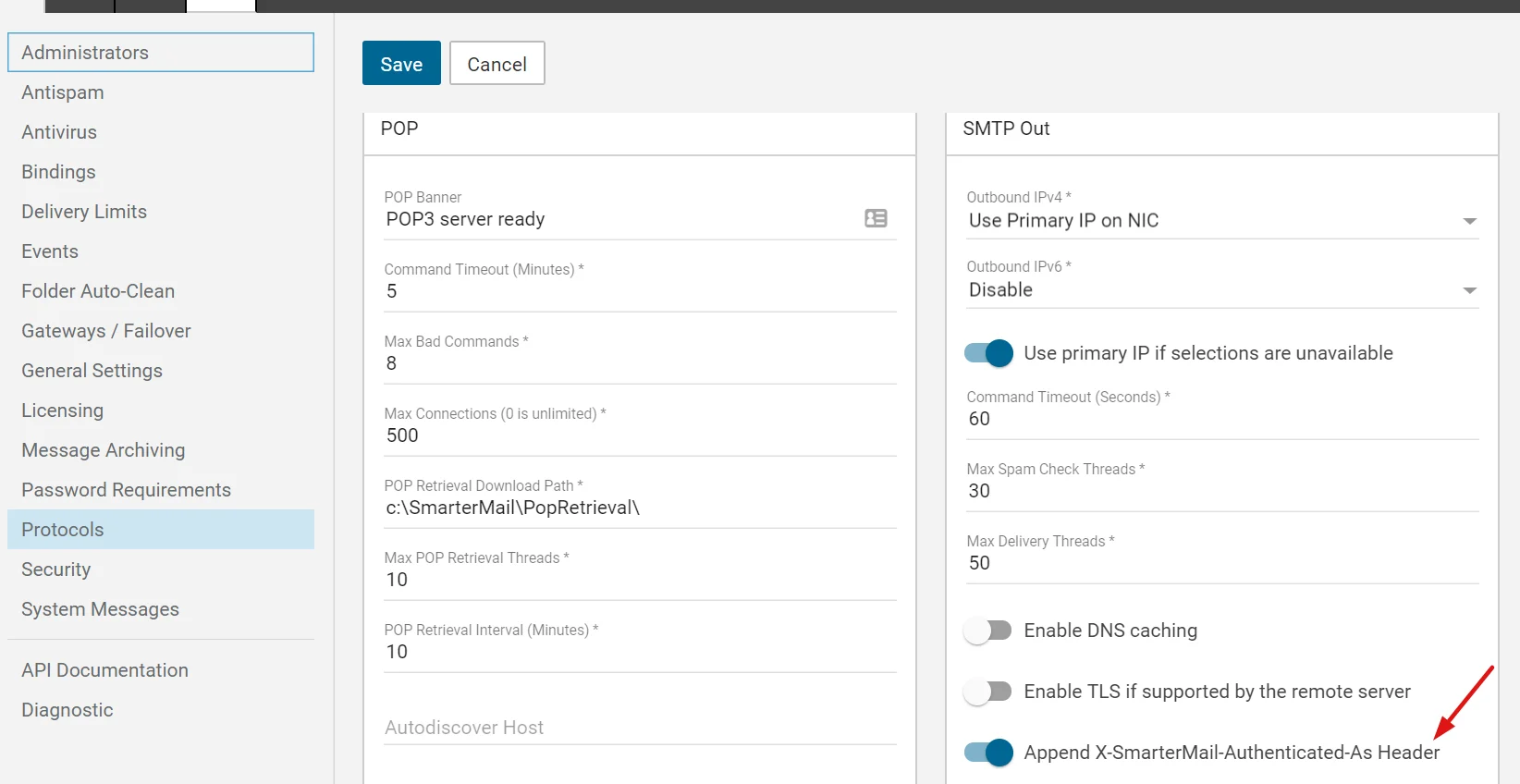
SmarterMail 11
1
Add an outgoing gateway
Navigate to Settings > Routing > Outgoing Gateway and create a new gateway with the following values: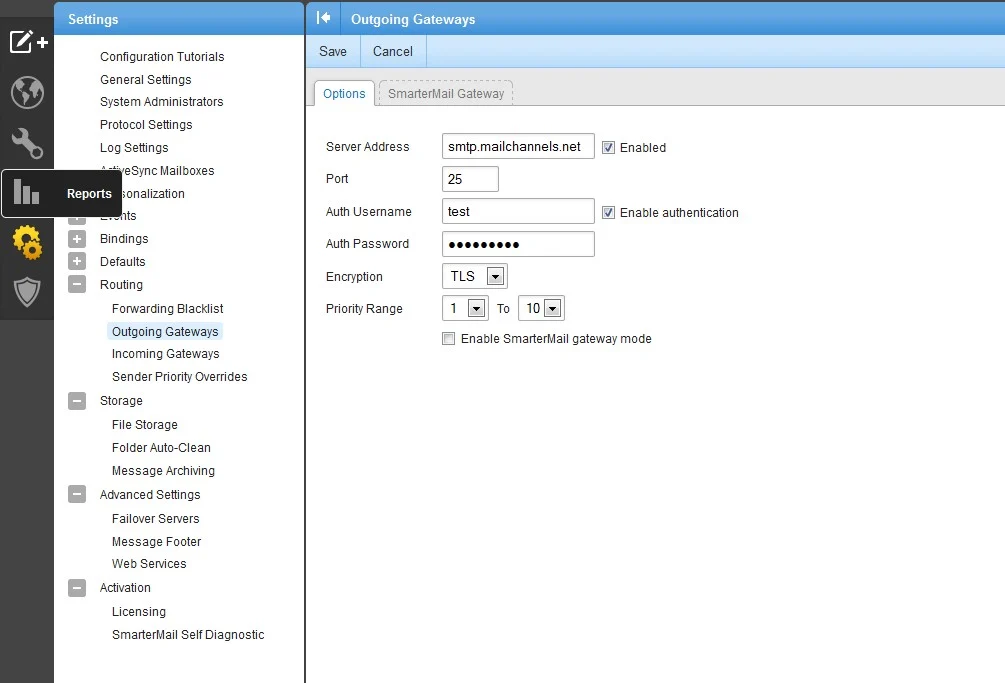
2
Enable the authenticated sender header
Navigate to Settings > Protocol Settings > SMTP Out.Enable the option Append authenticated as header for outgoing messages.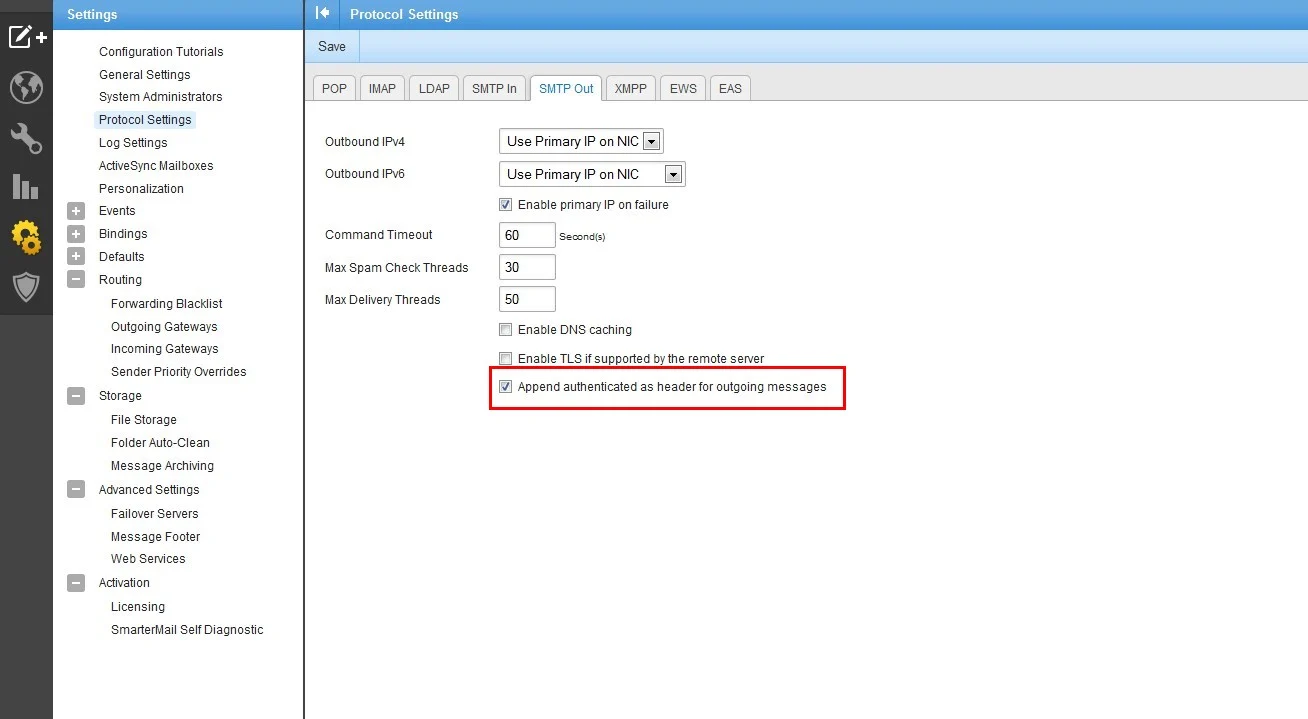
SmarterMail 10
SmarterMail 10 does not support adding X-headers, which means MailChannels cannot identify individual authenticated senders. Upgrading to SmarterMail 11 or later is recommended.
1
Add an outgoing gateway
Navigate to Settings > Routing > Outgoing Gateway and create a new gateway with the following values: