

Prerequisites
- A Windows host with IIS SMTP installed and configured
- Your MailChannels SMTP username and password
Configure the relay
1
Open the SMTP virtual server properties
Open IIS Manager, right-click on the SMTP virtual server, and choose Properties from the menu.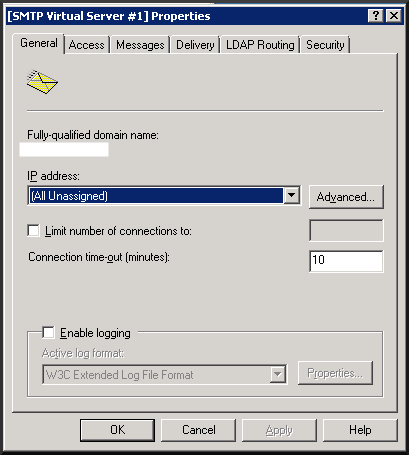
2
Set the smart host
Click the Delivery tab, then click Advanced.In the Smart host field, enter:Click OK to save.
3
Configure authentication
Still on the Delivery tab, click the Security tab.Select Basic Authentication if it is not already the default. Enter your MailChannels SMTP username and password into the User name and Password fields, then click OK.
Troubleshooting
Port 25 is blocked — MailChannels supports connections on ports2525, 465, and 587 as alternatives to port 25. To change the outbound port:
- Open IIS Manager and right-click on the SMTP virtual server. Choose Properties.
-
Click the Delivery tab, then click Outbound Connections.
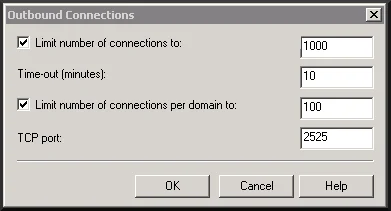
- In the Outbound Connections dialog, change the TCP port value to your desired port and click OK.