

Prerequisites
- Outlook 2010 installed and configured with your email account
- Your MailChannels SMTP username and password
Configure the relay
1
Open Account Information
Go to the File menu and click the Info tab to open the Account Information section.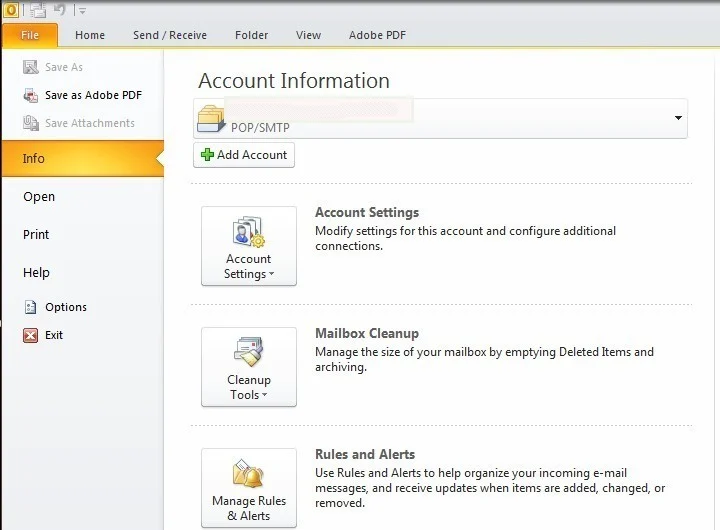
2
Open Account Settings
Click Account Settings.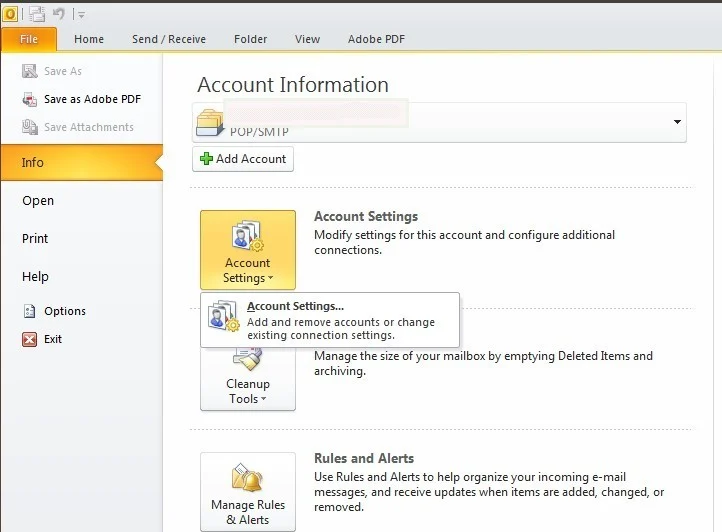
3
Select your account
Select your email account from the list and click Change.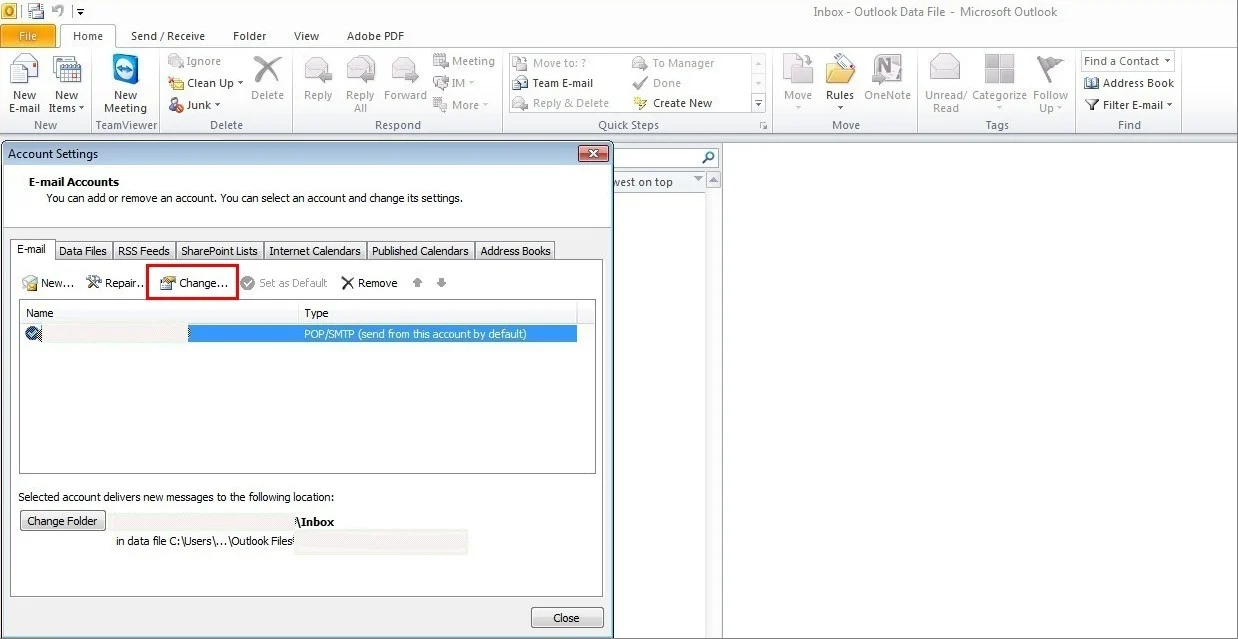
4
Set the outgoing mail server
Change Outgoing mail server (SMTP) to:Click More Settings….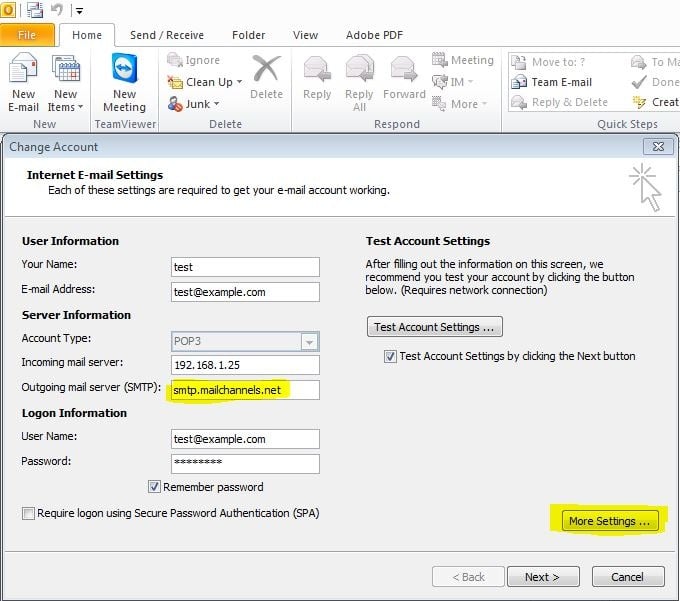
5
Configure authentication
Select the Outgoing Server tab in the email settings dialog.
- Check My outgoing server (SMTP) requires authentication.
- Select Log on using.
- Enter your MailChannels SMTP username and password.
-
Check Remember password.

6
Set the port and encryption
Select the Advanced tab.
-
Set Outgoing server (SMTP) port to
25. -
Set Use the following type of encrypted connection to
TLS.
7
Save the configuration
Click Next, then click Finish to save your settings.