

Prerequisites
- Access to the IceWarp administration interface
- Your MailChannels SMTP username and password
Configure the relay
1
Set the relay server
In the IceWarp administration interface, navigate to Mail > General > Delivery and enable Use Relay Server.Enter the following in the relay server field, replacing the placeholders with your actual MailChannels credentials: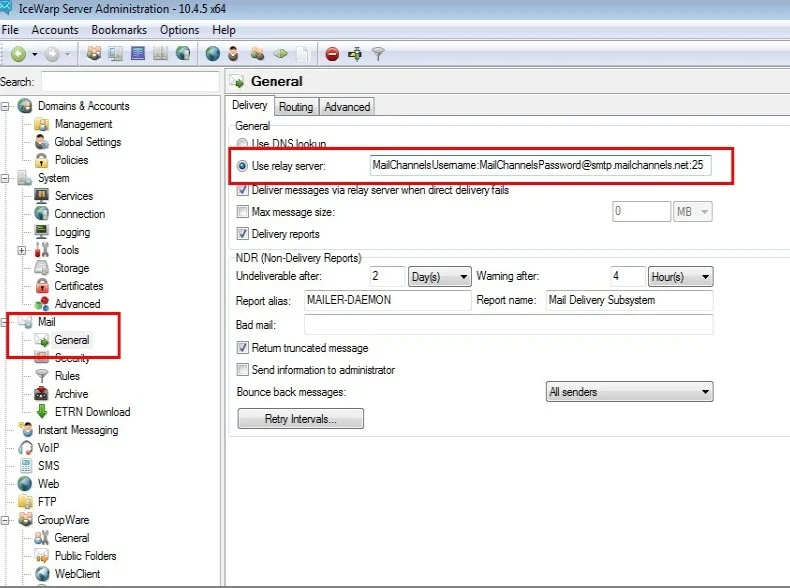
2
Add the X-AuthUser header
MailChannels uses the 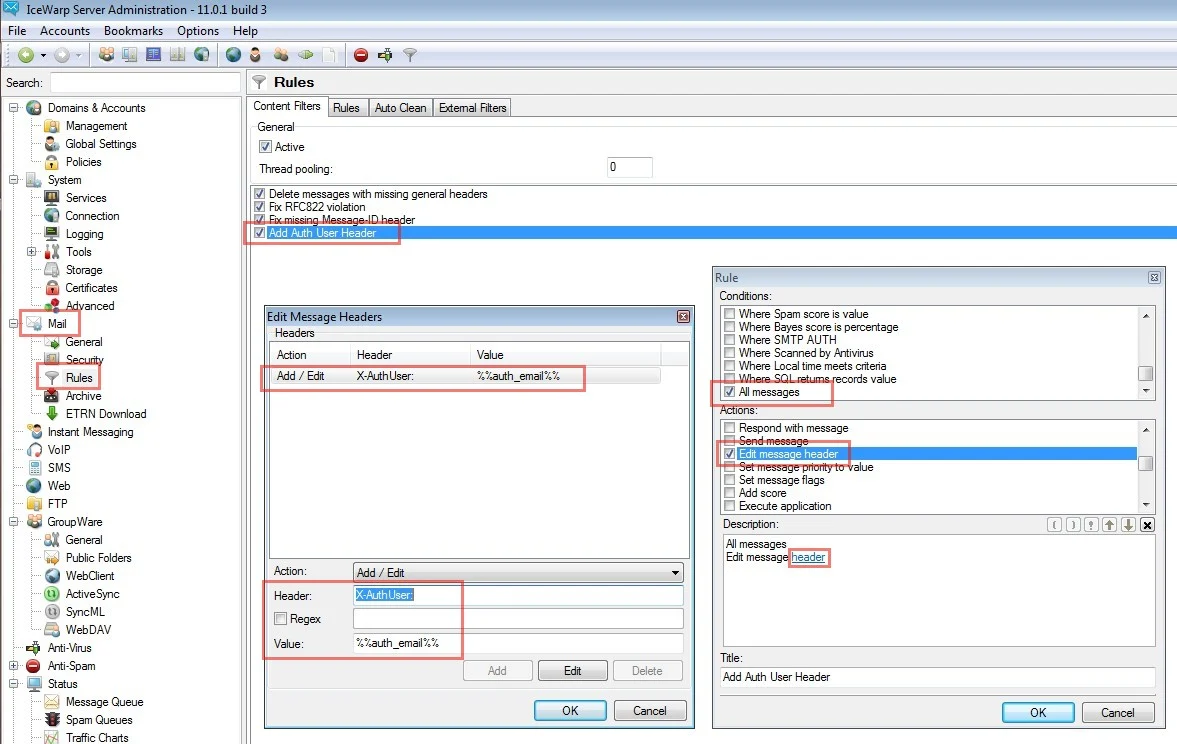
X-AuthUser header to identify the authenticated sender. Messages without this header are treated as forwarded mail and subject to different policies.Navigate to Mail > Rules and click Add. Configure the rule as follows:Enable the rule and click Apply.